Skip to content
Invoicing in Saudi Arabia

VAT invoicing software for Saudi Arabia

Issue Arabic tax invoices with 15% VAT, your VAT registration number, the ZATCA QR code and gap-free numbering, in SAR, and run your stock, suppliers and branches from the same app.

Built for how Saudi businesses actually invoice

Saudi tax invoices carry requirements that generic invoicing tools ignore: Arabic on the document, 15% VAT shown separately, your VAT registration number, and a numbering series with no gaps. Invroot does those as standard — the Arabic is a real right-to-left document rather than a translated template, and the tax rate is yours to define rather than a hardcoded assumption.

A business owner in a thobe and shemagh reviewing an invoice on a tablet
VAT

15% VAT, applied per line

Define a 15% rate once and it applies to every line, with the VAT amount and the total shown separately as a tax invoice requires. Add zero-rated or exempt rates alongside it for the supplies that need them.

Arabic

Arabic tax invoices, not translations

The whole document renders right-to-left — layout, numerals and direction — so the invoice a Saudi client receives reads as an Arabic document. Choose the language per invoice, so an English-speaking client still gets English.

SAR

Priced and paid in riyals

Invoice in SAR, or in your client’s currency when you bill abroad. Totals, reports and statements all follow the currency the invoice was issued in.

Records

Your VAT number on every document

Your VAT registration number, address and trade name sit on every invoice, quote and receipt, alongside your logo, stamp and signature.

Numbering

Sequential, gap-free numbering

Numbers are assigned in sequence and never skip. A gap in the numbering series of a VAT-registered business is a question you would rather not be asked during an audit.

Getting paid

Payment links and reminders

Send the invoice with a link your client can pay from, and let automatic reminders chase the ones that go quiet, so following up is not a weekly chore.

On your phone

Your invoices and cash, in your pocket

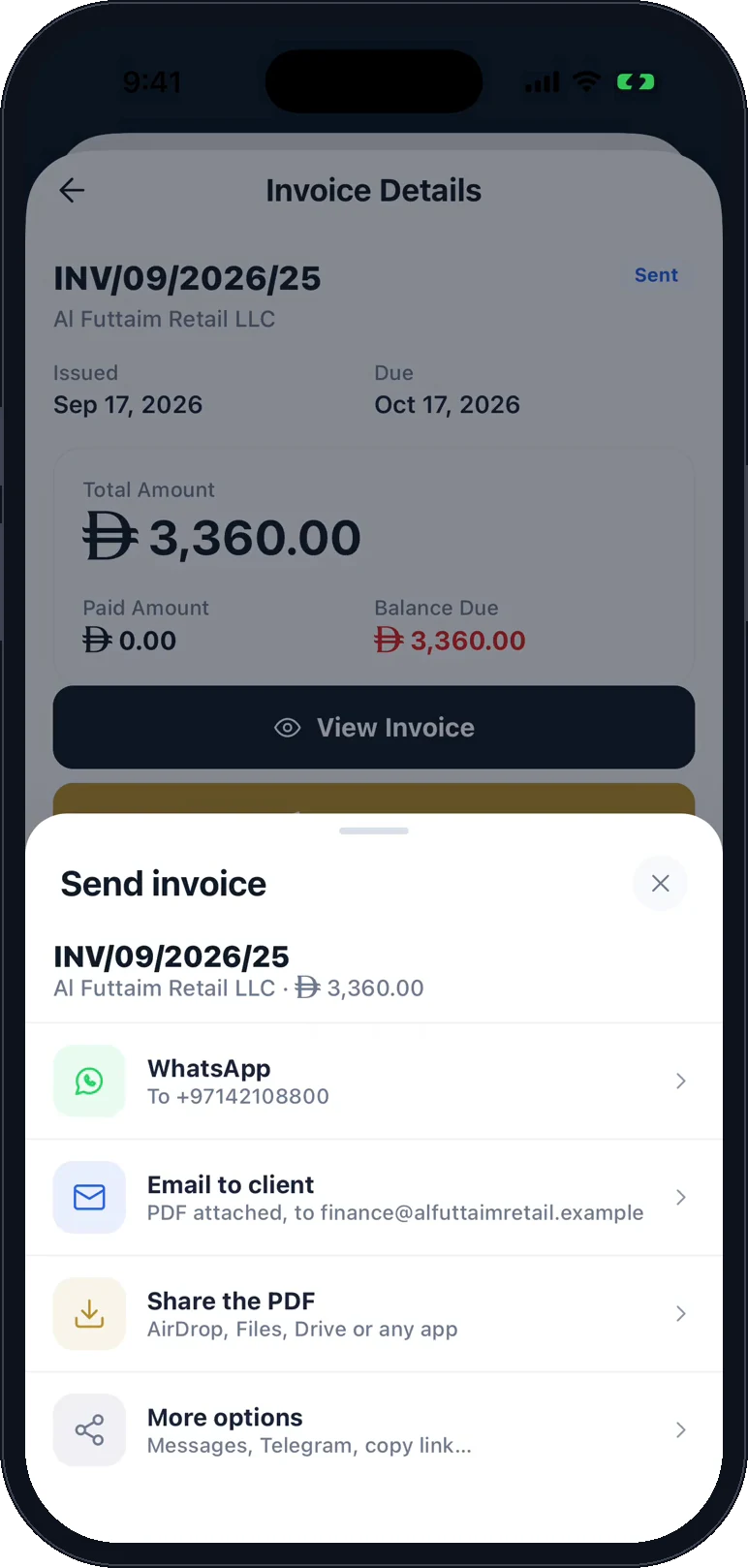
See what you are owed and what you owe, send an invoice by WhatsApp or email, record a payment and photograph a supplier bill, from the shop floor, the site or the car.
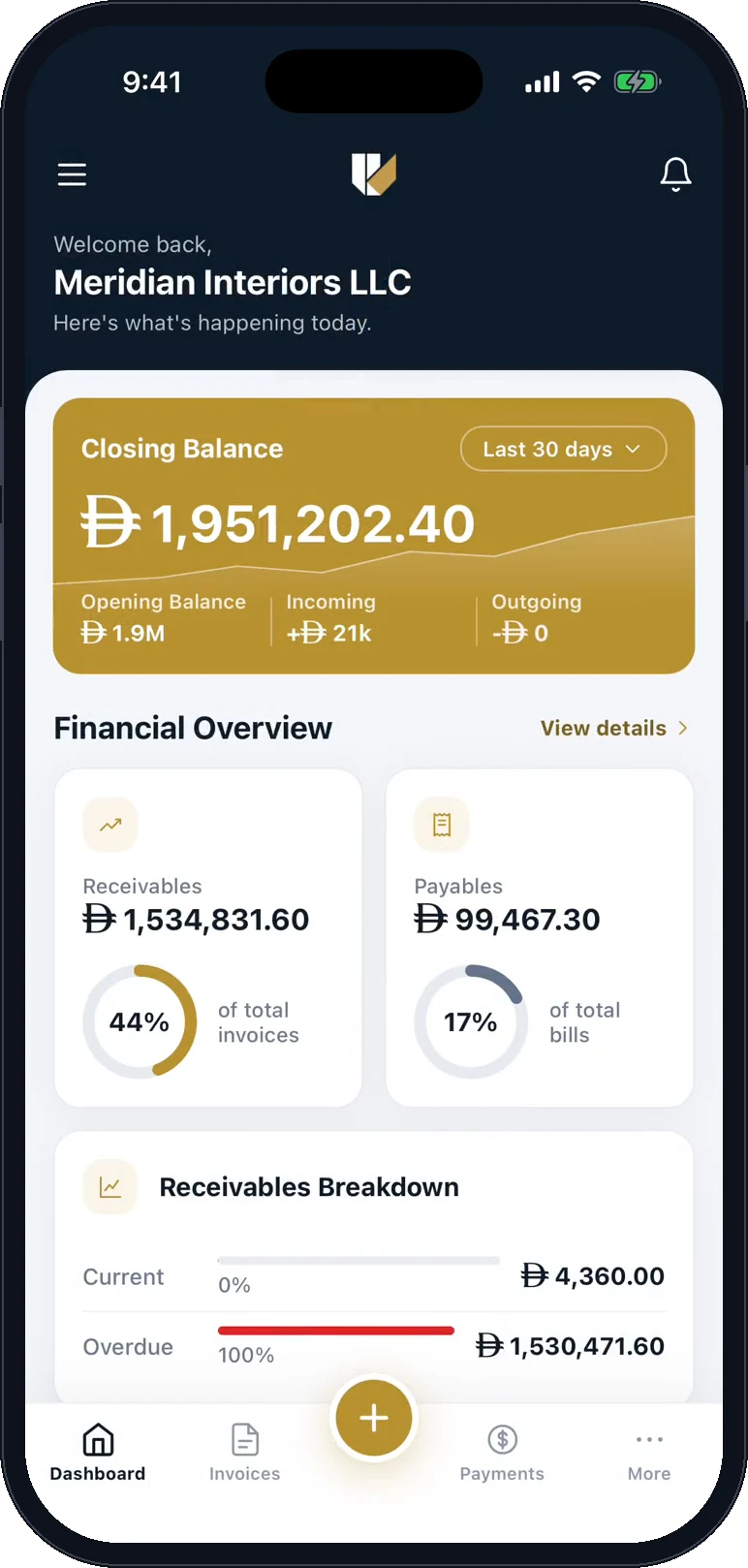
  • The Invroot dashboard on a phone: closing balance, receivables and payables for Meridian Interiors LLC
    See what you are owed
  • The send sheet for an invoice: WhatsApp, email to the client, share the PDF, or more options
    Send it by WhatsApp or email
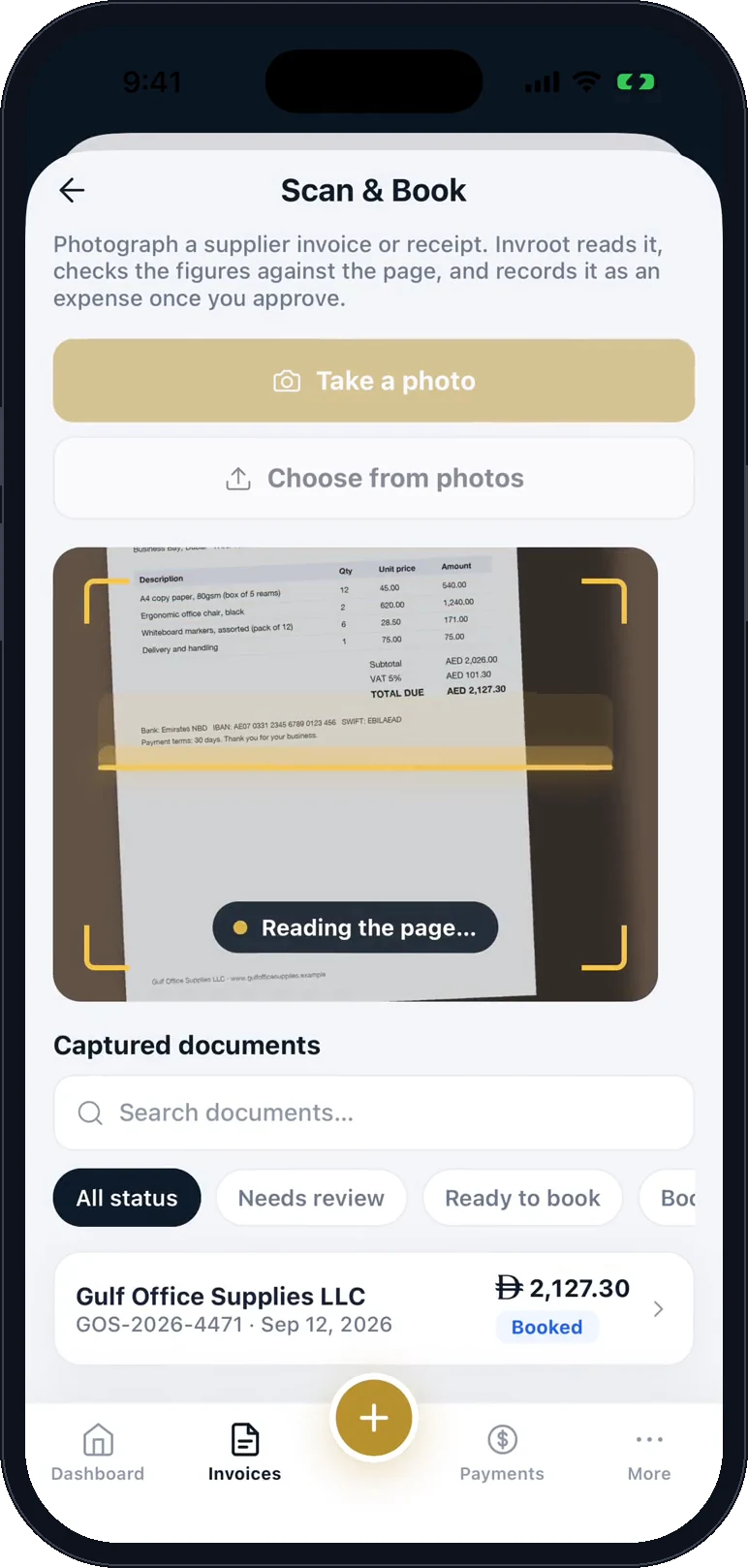
  • A photographed supplier invoice with the scan line passing over it: reading the page
    Photograph a supplier bill
One app, the whole business

Sell, buy, stock and report in one place

Invroot started with e-invoicing and grew into the rest of the business. Every module below is in every plan, and they share one set of numbers: an invoice moves stock, a delivery records the bill, and both land in your profit and loss.

  • Sell

    Quote, invoice and get paid, with VAT done for you.

    • Invoices, quotes, recurring invoices, credit notes and receipts
    • VAT per line, and the ZATCA QR code on Saudi tax invoices
    • Payment links and automatic reminders
    See how it works
  • Buy

    What you owe, to whom, and how late.

    • Ageing by how late each bill is, from not yet due to 90+ days
    • Supplier bills with due dates, by branch
    • Scan & Book: photograph a bill and AI reads and checks it
    See how it works
  • Stock

    Barcodes, counts and reorders, without a spreadsheet.

    • Stock value at average cost, and cost of sales in your profit and loss
    • Reorder suggestions from your own sales pace
    • Best sellers and slow movers, with dead-stock value
    See how it works
  • Branches

    Every branch's sales and profit, side by side.

    • Invoices and bills by branch
    • Net revenue, profit and margin for each branch
    • Collected, owed and the top client at each branch
    See how it works
  • Reports & VAT

    Profit, VAT and cash, in plain language.

    • Profit and loss with charts, comparisons and insights
    • VAT report and liability, in Excel or PDF
    • Receivables ageing and sales reports
    See how it works
  • Mobile

    Invoices and cash in your pocket, on iPhone and Android.

    • Create invoices and send them by WhatsApp, email or PDF
    • Record a payment the moment it lands
    • What you are owed and what you owe, at a glance
    See how it works

See every feature

Questions from Saudi businesses

Yes. The paid plan includes up to five team members on one workspace, each with their own sign-in, so invoices are not issued from a shared login. Every action is recorded in an audit log.

Yes. Tax rates are yours to define — any name, any percentage, inclusive or compound, as many as you need. Set 15% as your default and it applies per line automatically.

Yes, and properly so. The interface and the documents both switch to Arabic with real right-to-left layout, and you pick the language per invoice so each client gets the one they read.

Yes — SAR is fully supported, along with 139 other currencies chosen per invoice and per client, so you can bill locally in riyals and abroad in whatever your client pays in.

Free to start, with one real invoice to a real client and no card required. The paid plan is billed in your country's currency, and covers invoices, quotes, receipts, branded PDFs, payment links and reports.

Invoicing in United Arab Emirates →

Run your business from one app, starting today

Free to start, no card. Send your first e-invoice, then add your stock and suppliers: every module is included.

Create your account
Chat on WhatsApp